

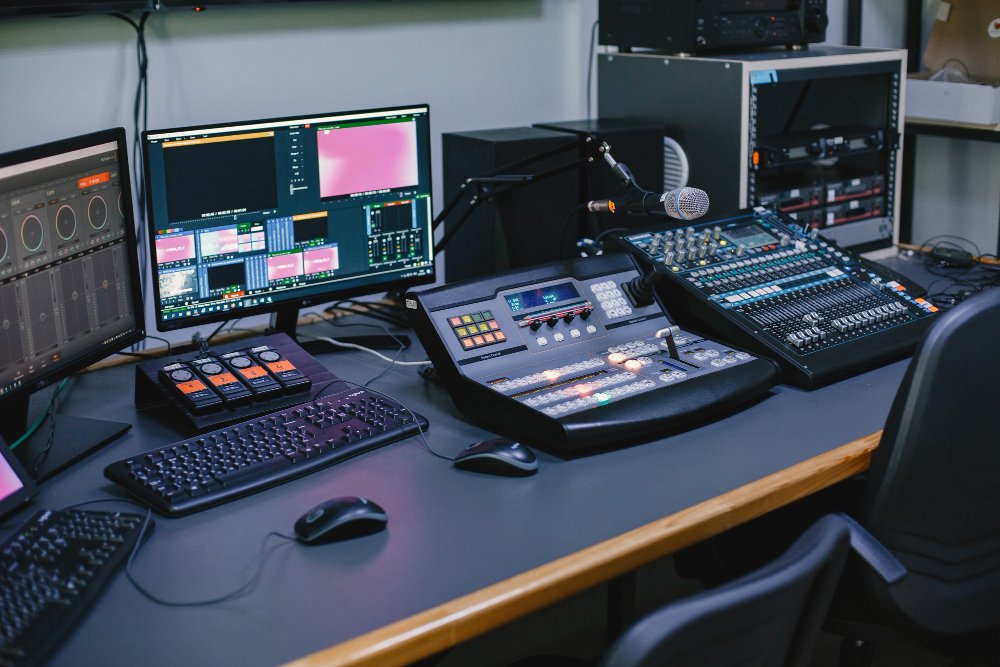
Poor AV can quietly destroy an event that took months to plan. Whether you’re organising a corporate conference in Manchester, a product launch in London, or a charity gala in Edinburgh, audio visual mistakes in events are far more common — and far more damaging — than most organisers expect.
The good news? Almost every AV setup mistake is avoidable with the right knowledge and a bit of forward planning. In this guide, we’ll walk through the ten most common AV equipment setup mistakes, explain why they happen, and give you practical, expert-backed steps to prevent them at your next event.
1. Skipping the Site Visit
This is one of the most costly AV setup mistakes you can make, and yet it happens all the time — especially when budgets are tight or timelines are rushed.
Every venue is different. Ceiling heights, room acoustics, pillar placements, power socket locations, and natural light all have a direct impact on what equipment you’ll need and how it should be positioned.
You hire a standard projector and screen, only to arrive and find the venue has floor-to-ceiling glass windows directly behind the screen position. The ambient light renders your presentation completely invisible. A site visit would have flagged this immediately.
What to check on your site visit:
- Room dimensions and ceiling height
- Natural light sources and whether blackout is possible
- Location and capacity of power points
- Existing venue AV infrastructure
- Wi-Fi signal strength and dedicated data points
- Acoustic properties (hard floors? High ceilings?)
Visit the venue at the same time of day as your event. Lighting conditions — particularly sunlight — change dramatically throughout the day and can completely alter your equipment requirements.

2. Not Doing a Proper Sound Check
Rushed or skipped sound checks are one of the most frequent common audio visual mistakes in events across the UK. An event where speakers can’t be heard, microphones feed back, or music cuts in and out creates an immediately poor impression — and it’s almost always avoidable.
The right way to do a sound check:
- Test at the actual volume you’ll use during the event — not a quiet rehearsal level
- Check every microphone individually, including spares
- Have someone walk the room while audio plays to identify dead spots
- Test all audio sources: laptops, phones, microphones, music tracks
- Confirm that the FOH (front of house) mix sounds correct from the audience’s perspective
An empty room sounds very different to a full one. Human bodies absorb sound. Experienced AV technicians account for this and adjust levels accordingly — another reason to have a professional operator on site.
3. Using the Wrong Equipment for the Venue
One of the most common AV equipment setup mistakes is simply using gear that isn’t matched to the scale of the event or the characteristics of the venue. A small portable PA system might be fine for a 30-person boardroom — but it’ll struggle in a 300-seat conference hall.
Venue size vs. recommended AV equipment:
- Small (up to 50 guests): Portable PA, small mixer, confidence monitor, single screen
- Medium (50–200 guests): Line array or column speakers, dedicated mixing desk, dual screens, wireless microphones
- Large (200+ guests): Full PA system, sub-woofers, multiple screens, IMAG (image magnification), professional lighting rig
Working with a trusted AV hire company — like Spotlight Sound — ensures you get equipment that’s genuinely matched to your specific needs, not just whatever happens to be available.
4. Poor Cable Management
Cables might seem like a minor detail, but poorly managed cables are a genuine health and safety hazard — and they’re one of the most overlooked AV setup mistakes in the industry.
Trip hazards, accidental disconnections mid-presentation, and unsightly tangles across the stage all stem from insufficient cable planning. At a corporate event, nothing undermines the professionalism of your brand quite like a visible mess of cables crossing the stage.
Best practice for cable management:
- Use cable ramps or covers for any cables crossing walkways
- Tape down all floor cables with gaffer tape
- Plan cable routes before rigging begins
- Use appropriately-lengthed cables — avoid excessive coiling
- Label all cables at both ends
5. No Backup Equipment Plan
Technology fails. It’s not a question of if — it’s a question of when. Yet many events operate with zero contingency for equipment failure, which means a single failed component can bring an entire event to a halt.
Every professional AV setup should include at least one backup for your most critical components: a spare wireless microphone receiver, a backup laptop loaded with all presentations, and a spare projector lamp at minimum. The cost of carrying spares is a fraction of the cost of a failed event.
Your backup equipment checklist:
- Spare wireless microphone (charged and tested)
- Backup laptop with all presentation files
- Extra HDMI and VGA cables
- Spare projector bulb or secondary display option
- Backup audio source (e.g. phone with 3.5mm output)
- Gaffer tape (always)
6. Overlooking Lighting Entirely
Audio tends to dominate the AV conversation, but lighting is equally critical — and its absence is one of the most visually jarring audio visual mistakes in events. Poor lighting makes speakers look unprofessional on camera, makes stages feel flat, and dramatically reduces audience engagement.
Lighting considerations by event type:
- Corporate conference: Clean, white key lighting on speakers; subtle uplighting around the room
- Awards ceremony: Dynamic colour washes, spotlight on the stage, GOBO projections
- Product launch: Dramatic reveal lighting, brand colour integration, attention-directing spots
If you’re looking to hire professional lighting alongside your audio setup, browse the full equipment hire range at Spotlight Sound — including moving heads, LED pars, and full rigging solutions.
7. Mismatched Screen Resolutions and Aspect Ratios
This is a surprisingly common AV setup mistake that affects even well-organised events. A presentation designed in 16:9 widescreen displayed on a 4:3 screen — or vice versa — will appear stretched, squashed, or cut off at the edges.
Similarly, connecting a laptop to a projector without confirming the output resolution can result in blurry, pixelated, or oversized content that looks unprofessional to every person in the room.
Quick Resolution Checklist
- Confirm projector/screen aspect ratio before presentations are designed
- Test laptop-to-projector connections during setup, not on the day
- Standardise all presentations to 1920×1080 (Full HD) where possible
- Brief all speakers on the required format in advance
8. No Dedicated AV Technician on the Day
Hiring equipment is only half the solution. One of the biggest AV setup tips for corporate events in the UK is this: always have a trained, dedicated AV technician present for the duration of your event.
Without someone actively managing the system, even a well-set-up rig can develop problems that go unaddressed. A volume spike, a microphone cutting out, a presentation failing to advance — these are all issues that a dedicated technician resolves in seconds, rather than minutes of on-stage fumbling.
When briefing your AV technician, provide a full running order with timings, speaker names, and any special requirements (video playback, music cues, Q&A sessions). The more information they have, the smoother the day will run.

9. Over-Reliance on Venue Wi-Fi for AV
Streaming video content, running presentations from cloud storage, or using wireless AV systems all depend on a stable internet connection. Venue Wi-Fi — especially at large events where hundreds of guests are simultaneously connected — is notoriously unreliable.
This is one of the most avoidable AV equipment setup mistakes, yet it catches event planners out repeatedly. Always have a wired backup or a dedicated hotspot for your AV systems, and keep all critical files downloaded locally.
How to avoid Wi-Fi-related AV failures:
- Download all video and presentation files to local storage before the event
- Request a dedicated hardwired data connection for AV systems from the venue
- Use a 4G/5G mobile hotspot as a backup for any cloud-dependent systems
- Test streaming quality in the venue environment, not just at the office
10. Leaving AV Setup to the Last Minute
Perhaps the single most damaging of all AV setup mistakes: treating the technical setup as an afterthought. AV should be planned from the earliest stages of event production — not the day before, or worse, the morning of.
Late decisions mean limited equipment availability, rushed installations, inadequate testing time, and a stressed technical team. All of which increase the likelihood of something going wrong in front of your audience.
Recommended AV planning timeline:
- 8+ weeks out: Brief AV supplier, confirm venue specs, agree equipment list
- 4 weeks out: Confirm all presentations and media files format
- 1 week out: Technical rider issued to all speakers
- Day before: Full rig and test at venue
- Day of event: Final sound check 2 hours before doors open
Pro Tips: AV Setup Tips for Corporate Events in the UK
Beyond avoiding mistakes, here are the best practices that distinguish truly seamless events from merely adequate ones:
Before the Event
- Send every speaker a technical rider at least two weeks in advance
- Standardise presentation formats (PowerPoint/Keynote, 16:9, embedded fonts)
- Request all videos be exported as MP4 (H.264) for maximum compatibility
- Brief your AV company on the full event schedule — not just the headline moments
During the Event
- Post an AV technician at the mixing desk for the entire duration
- Have a dedicated “tech point of contact” who liaises between AV and the stage manager
- Keep the area around the mixing desk clear so your technician can concentrate
- Mute microphones when not in use to avoid feedback incidents
After the Event
- Conduct a debrief with your AV team — what worked, what didn’t
- Document your equipment list and settings for future reference
- Build your AV learnings into your next event brief
Frequently Asked Questions
What are the most common AV setup mistakes at corporate events in the UK?
The most common AV setup mistakes include skipping the site visit, not doing a thorough sound check, using equipment that’s too small for the venue, poor cable management, and failing to have a dedicated AV technician on site. Leaving AV planning to the last minute and over-relying on venue Wi-Fi are also frequent issues that affect events across the UK.
How early should I start planning AV for a corporate event?
Ideally, you should begin briefing your AV supplier at least eight weeks before the event — especially for large-scale productions. This gives sufficient time to conduct a site visit, confirm equipment, and gather technical requirements from all speakers. For smaller events, four to six weeks is a reasonable minimum lead time.
How do I avoid audio visual mistakes at live events?
The most effective way to avoid audio visual mistakes at live events is to work with experienced AV professionals from the very start of your planning process. Beyond that, conduct a thorough site visit, schedule a full technical rehearsal the day before, have backup equipment available, and ensure a qualified AV technician is present throughout the event.
Do I need a professional AV company for a small corporate event?
Even for smaller events, working with a professional AV hire company is strongly recommended. The cost is often lower than people expect, and the difference in quality and reliability is significant. A professional supplier will assess your specific needs and provide appropriately-scaled equipment with technical support — reducing the risk of costly mistakes on the day.
What AV equipment do I need for a corporate conference in the UK?
For a typical UK corporate conference, you’ll need a PA system scaled to the room size, wired and/or wireless microphones, a projector or LED screen, a laptop or media server for presentations, and suitable stage or ambient lighting. Larger conferences may also require a mixing desk, IMAG screens, confidence monitors for speakers, and recording equipment. A specialist AV supplier can advise on the exact setup for your specific venue and audience size.
Conclusion
AV setup mistakes don’t just cause technical headaches — they undermine the credibility of your event, frustrate your audience, and can undo months of meticulous planning in moments. The good news is that every mistake on this list is entirely preventable.
Whether you’re organising a 30-person board meeting or a 500-delegate national conference, the principles are the same: plan early, choose the right equipment for your venue, test everything thoroughly, and have a professional by your side on the day.
If you’d like expert guidance on AV equipment hire for your next event in the UK, the team at Spotlight Sound are ready to help. Browse the full hire range and get in touch to discuss your requirements — because your event deserves to be remembered for the right reasons.