

Why AV Hire Makes or Breaks a Corporate Conference
Poor audio is the fastest way to lose a room. If delegates can’t hear the speaker clearly, or the presentation slides are washed out under bright venue lighting, the content becomes almost irrelevant — regardless of how much planning went into the rest of the event.
Audio visual hire for corporate conferences is not simply about having equipment in the room. It is about having the right equipment, set up correctly, with someone on hand who knows how to manage it if something needs adjusting on the day.
This guide is aimed at UK event planners, PAs, and in-house marketing teams who want a clear understanding of what good corporate conference AV hire looks like — including what to specify, what to watch out for, and how to avoid the mistakes that cause problems on the day.

Essential AV Equipment for Corporate Conferences
The equipment you need will depend on the venue, the audience size, and the format of the event. That said, most corporate conferences share a common set of AV requirements. Here is a breakdown of the key categories.
Sound Systems
Clear, consistent sound is the foundation of any successful conference. A line array or column array speaker system generally works well in conference spaces, as it provides even coverage across the room without creating hotspots or dead zones.
For most corporate conference environments, you will need:
- Main PA speakers positioned to cover the full audience area
- Front fills for larger stages where the main speakers are flown higher
- Delegate microphones — typically handheld, lapel (lavalier), or gooseneck podium mics
- Roving microphones for Q&A sessions
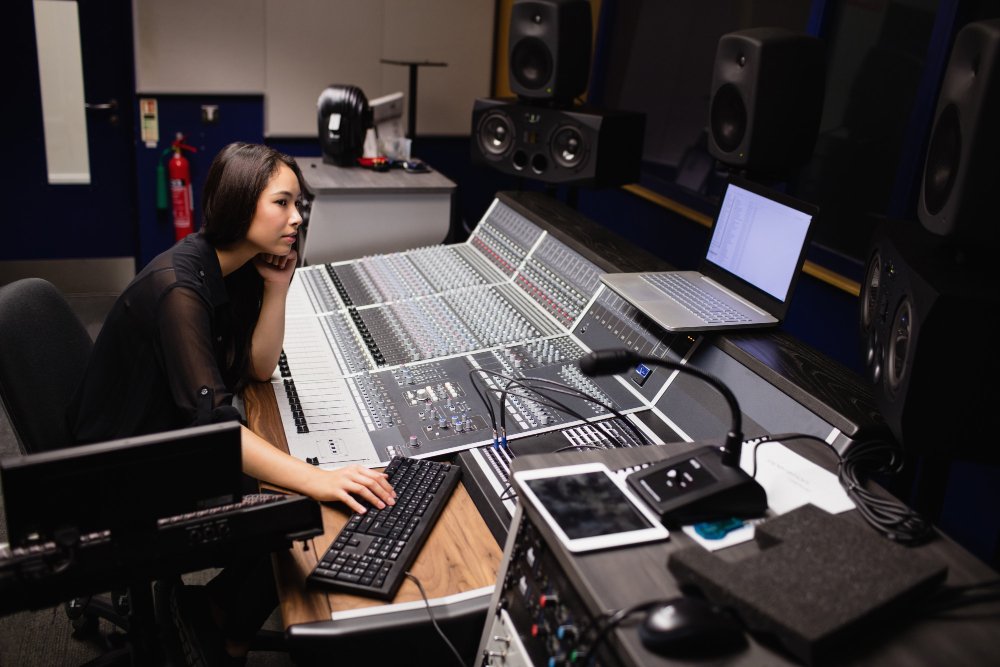
- A mixing desk operated by a qualified sound engineer
The microphone setup matters more than many clients expect. A lapel mic provides a clean, hands-free experience for a speaker moving around the stage, while a handheld gives more control but requires the speaker to manage it themselves. For panel sessions with multiple speakers, gooseneck desk microphones are usually the most practical option.
Display and Projection
Delegates need to be able to read presentation content clearly from anywhere in the room. The right display solution depends on the room dimensions, ambient light levels, and whether the content is primarily slides, video, or live data.
Common options for corporate conference AV hire include:
- Projection screens with high-lumen projectors — well-suited to larger, darkened conference spaces
- LED screens — better for brighter environments or where a premium visual finish is required
- Multiple screens — important for wider rooms where a single screen would be too far from some delegates
- Confidence monitors — floor monitors facing the stage so speakers can see their slides without turning around
If the event involves any video playback, make sure the display solution and media playback are tested together in advance. Colour calibration and aspect ratio mismatches are easy to miss during setup and can look poor when noticed mid-presentation.
Lighting
Conference lighting often receives less attention than sound or video, but it plays a significant role in how professional the event looks and feels.
Key lighting requirements for most corporate conferences include:
- Stage wash lighting to ensure speakers are clearly visible and well-lit on camera
- Lectern lighting where a fixed podium is in use
- Room atmosphere lighting to help manage the energy and focus of the space
- Branding or colour wash for corporate identity — gobo projectors can display logos or colour washes on walls or floors
If the event is being recorded or live-streamed, stage lighting becomes even more important. Camera exposure relies on consistent, well-directed light. A speaker standing in front of a bright backdrop without adequate front-facing stage lighting will appear dark and underlit on camera.
Video Conferencing and Hybrid Event AV
A significant proportion of UK corporate conferences now incorporate remote participants, whether as speakers joining remotely, satellite offices joining a live session, or online delegates following a hybrid broadcast.
For hybrid events, the AV specification needs to account for:
- PTZ (pan-tilt-zoom) cameras or fixed broadcast cameras to capture the stage
- Reliable switching and encoding equipment to manage the live feed
- Clean audio feeds routed to the broadcast mix, separate from the room PA
- A confidence monitor or clock for remote speakers so they can track timing
Getting hybrid AV right requires more pre-event planning than a straightforward in-room conference. The two environments — in-person and online — have different needs, and a system that works well for one can easily fail the other if it has not been properly designed.
Stage and Presentation Infrastructure
Depending on the scale of the event, you may also need:
- Staging and risers to raise the presentation area above the delegate floor level
- A lectern or presentation desk
- Cable management to keep the stage area safe and visually clean
- Presentation control systems — clicker devices and cue management for complex shows
For larger conferences with multiple sessions, a show calling system that allows the technical team to coordinate cues across lighting, sound, and video is worth considering.
How to Choose the Right AV Hire Package
There is no universal AV specification that works for every corporate conference. A 50-person board strategy day in a hotel meeting room has entirely different requirements from a 500-person annual conference at an exhibition venue.
When approaching audio visual equipment hire for corporate events, the key questions to work through are:
- What is the room layout and audience capacity? This affects speaker placement, screen size, and microphone choices.
- What is the ambient light level? High ambient light makes projection difficult; LED screens or blackout arrangements may be needed.
- What is the presentation content? Slides-heavy events need clear, high-resolution displays. Video-heavy events need capable playback systems and good colour reproduction.
- Is the event being recorded or live-streamed? This changes the camera, lighting, and audio specification considerably.
- Will there be remote speakers or hybrid delegates? This adds another layer of technical complexity.
- What is the venue’s existing AV infrastructure? Some venues have fixed-installed systems; others require a full temporary rig.
A good AV hire company will work through these questions with you and advise on the right setup rather than simply quoting for whatever is on a generic equipment list.
Conference AV Checklist for Event Planners
Use this checklist when specifying or reviewing an AV hire quote for a corporate conference.
Before the event:
- Confirmed audience capacity and room dimensions
- Sight lines and screen visibility checked from all seating positions
- Microphone type and quantity agreed for each session format
- Presentation content tested through the actual display system
- Lighting agreed for stage, room atmosphere, and any branding requirements
- Hybrid or live stream requirements scoped and tested
- Run-through or technical rehearsal scheduled
On the day:
- Sound check completed before doors open
- All presentation files tested (not just the title slide)
- Clicker or presentation remote tested by each speaker
- Q&A microphone routing confirmed
- AV technician briefed on the event running order and any cued moments
- Backup plans in place for key equipment
After the event:
- Recording or stream files saved and distributed
- Any technical notes captured for future events at the same venue
Common AV Mistakes at Corporate Conferences
Most AV problems at corporate conferences are avoidable. Here are the issues that come up most frequently and what to do instead.
1. Testing slides on a laptop screen, not the actual display Fonts that look fine at 100% on a screen can become unreadable at distance on a projector. Always test presentation content through the actual display system before the event starts.
2. Using a venue’s built-in AV without checking its capability Many hotel and conference centre AV systems are installed to a basic specification. They may be adequate for small meetings but insufficient for larger conferences. Check the specification before relying on it.
3. Underestimating the acoustic complexity of the room Large rooms with hard floors and reflective walls can cause significant echo. A PA system that sounds fine in an empty room may become harder to understand once filled with people. An experienced sound engineer will account for this during setup.
4. No technical rehearsal Speakers arriving on the day with slides they have never presented in the room is a common source of last-minute problems. Even a short technical run-through reduces risk considerably.
5. Treating hybrid as an afterthought Adding a camera and a Zoom link to an in-person conference at short notice rarely produces a good experience for remote participants. Hybrid events need to be scoped properly from the outset.
6. Not having a technical operator on the day Self-operated AV systems can work for simple setups, but for any multi-session or multi-format conference, having a qualified AV technician managing the system throughout the day is worth the investment.
Pro Tips from the Field
A few practical points that make a real difference at corporate conferences:
Brief your AV team properly. Share the full running order, not just the equipment list. An AV team that understands the flow of the day can anticipate cues, manage transitions smoothly, and react quickly when things change.
Ask about the handover process. When the event finishes, how is the equipment collected, and when? For multi-day conferences, confirm that the rig is secure and staffed appropriately between days.
Build in time. AV setups take longer than most people expect, especially when integrating with a venue’s existing infrastructure. Allow proper time for setup, testing, and a run-through before the event starts.
Check the power supply early. High-powered PA systems and lighting rigs draw significant current. Confirm with the venue that the available power meets the AV specification before signing anything.
Request a single point of contact. For complex events, knowing who to call and who makes decisions on the day avoids confusion and delays.

FAQ
What does audio visual hire for a corporate conference typically include?
A standard corporate conference AV hire package will usually include a PA sound system, microphones, a projection or LED screen setup, stage lighting, and a technical operator. The exact specification depends on audience size, room type, and event format. Hybrid or broadcast requirements will add further equipment to the package.
How far in advance should I book corporate conference AV hire in the UK?
For larger conferences, booking AV hire three to six months in advance is advisable, particularly for events in Q4 or during busy UK conference seasons. For smaller events, six to eight weeks is usually workable, but earlier is always better — experienced AV companies get booked up.
What is the difference between a venue’s built-in AV and hiring a specialist AV company?
Venue-installed AV is typically a fixed system designed for general use. Hiring a specialist AV company means the equipment specification is matched to your specific event requirements, and you have a dedicated technical team on hand for the day. For anything beyond a basic presentation, specialist hire usually produces a noticeably better result.
How do I avoid common AV mistakes at corporate conferences?
The most effective steps are: test all presentation content through the actual display system before the event, brief your AV team with a full running order, schedule a technical rehearsal, and scope any hybrid or live stream requirements from the outset rather than adding them last-minute.
Can Spotlight Sound handle corporate conference AV hire across the UK?
Yes. Spotlight Sound supports corporate conferences, business events, and venue installations across the UK from our base in Essex. Whether you need a straightforward PA and screen setup or a more involved hybrid broadcast rig, we are happy to work through the requirements with you and advise on the right approach.
Conclusion
Getting the AV right at a corporate conference is not complicated, but it does require proper planning, the right equipment specification, and a team that knows how to deliver it reliably on the day.
The key points to take away are: match the specification to the room and the event format, test everything before delegates arrive, brief your technical team properly, and do not underestimate the complexity of hybrid or broadcast requirements.
If you are planning a corporate conference and want straightforward advice on what you need, get in touch with Spotlight Sound. We will work through the requirements with you and put together a practical AV specification that gives the event the best chance of running smoothly.


