

Hybrid events are now a fixture in the UK events calendar — and getting the audio visual setup right is the difference between a polished, professional event and one that loses half its audience the moment the stream drops.
If you’re looking to hire audio visual equipment for hybrid events, this guide covers everything: what you need, how to choose it, what it costs, and the mistakes worth avoiding before you book.
What Is a Hybrid Event — and Why Does AV Matter So Much?
A hybrid event combines a live, in-room audience with a remote audience joining via a live stream or video conferencing platform. Think conferences, AGMs, product launches, training days, and panel sessions — all running simultaneously for people in the room and people watching online.
The challenge is that both audiences need to feel equally part of it. That only happens when the AV setup is planned properly. Poor sound, a shaky camera, or a stream that keeps buffering doesn’t just frustrate remote attendees — it undermines the whole event.
That’s why hybrid event audio visual equipment hire requires more thought than a straightforward in-person event. You’re essentially running two productions at once.

What AV Equipment Is Needed for a Hybrid Event?
This is one of the most common questions from clients planning hybrid events for the first time. The honest answer is: it depends on the size and format of your event. But here’s a practical breakdown of the core components most hybrid events require.
Audio
Clear, consistent sound is the foundation of any successful hybrid event. Remote attendees have zero tolerance for audio issues — if they can’t hear clearly, they’ll switch off.
- Microphones — handheld, lapel (tie-clip), or boundary mics depending on the format
- PA system — to cover the in-room audience
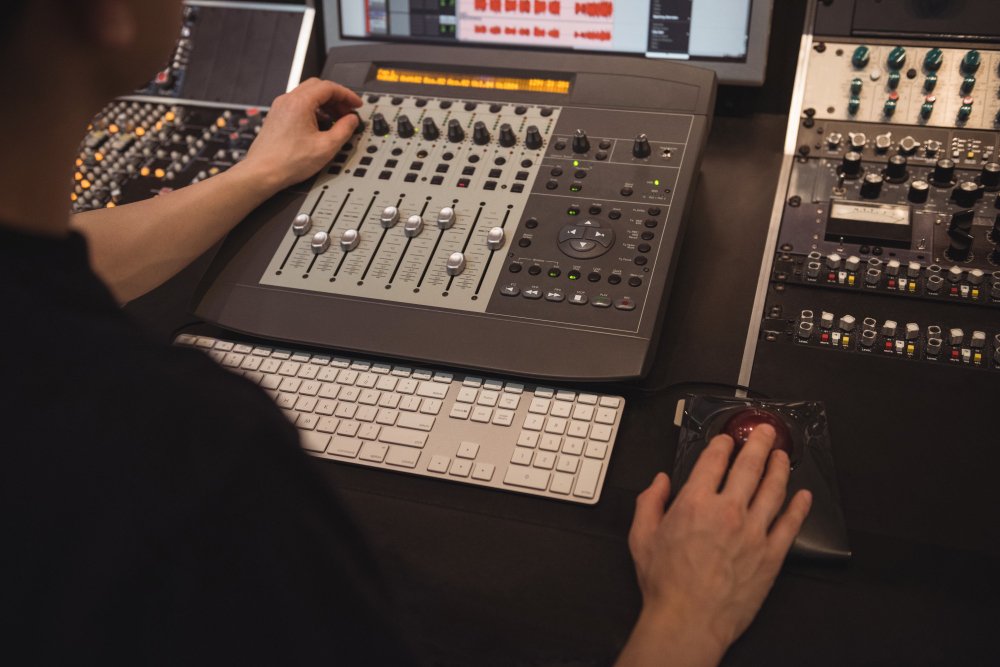
- Audio mixing desk — to manage multiple inputs and balance levels
- In-ear monitoring — useful for presenters receiving remote questions
One of the most common oversights is failing to route audio properly into the streaming feed. A good AV hire provider will ensure the mix going online is separate and properly balanced — not just a feed from the room speakers.
Video
The remote audience is watching everything through a screen, so video quality matters significantly.
- Cameras — at minimum, one audience-facing camera for the room; multiple cameras for panel setups or larger events
- Camera operators or robotic camera systems — depending on your budget and complexity
- Video switching — to cut between camera angles, presentations, and remote feeds
- Confidence monitors — so presenters can see remote participants or see their own presentation
- HDMI or SDI distribution — to get video signals where they need to go
Streaming and Connectivity
This is where hybrid events become technically demanding. You need a reliable way to get your content online — and to receive and display remote participant video in the room.
- Streaming encoder — converts the live signal into a format suitable for streaming platforms
- Streaming platform — YouTube Live, Vimeo, Hopin, Microsoft Teams, Zoom, or a bespoke platform
- Dedicated internet connection — a venue’s shared Wi-Fi is rarely sufficient; dedicated connectivity (often a 4G/5G bonded connection or wired ethernet) is far more reliable
- Video conferencing integration — if remote speakers need to appear on screen in the room
Screens and Displays
- Main presentation screen or LED display — for the in-room audience
- Confidence monitors — positioned where presenters can see them
- Camera return monitor — showing the remote feed to in-room participants
Lighting
Lighting often gets overlooked in hybrid events, but it directly affects how your in-room speakers appear on camera.
- Stage or presenter lighting — to make speakers look professional on camera, not washed out or shadowed
- Background lighting — to give visual context and avoid a flat, dull look
How to Choose AV Equipment for Hybrid Events
Choosing the right hybrid event audio visual equipment hire package isn’t just about picking the most impressive kit. It’s about matching the equipment to the specific needs of your event.
Start with the brief, not the kit
Before talking about cameras and mixing desks, a good AV hire company will want to understand:
- How many people are attending in the room?
- How many remote attendees are expected?
- Will remote delegates speak, present, or just watch?
- What platform are you streaming to?
- What does the venue look like — size, shape, ceiling height, existing infrastructure?
These answers shape everything else. A 30-person boardroom event has very different requirements to a 300-delegate conference.
Check the venue
Many venues have in-house AV systems that may or may not be suitable for hybrid use. It’s worth getting an independent assessment before assuming the venue’s existing setup will work. A specialist hybrid event production and AV hire company can advise on what the venue has, what it lacks, and what you’ll need to bring in.
Think about redundancy
For a hybrid event, a technical failure mid-session has double the impact — it affects both the room and the online audience. Build in contingency: a backup internet connection, a spare encoder, tested failover routes. This is something experienced AV hire services for hybrid business events will factor in as a matter of course.
Don’t cut corners on audio
Of all the technical elements, audio failure is the most damaging to a hybrid event. Remote participants can tolerate a slightly imperfect picture — they cannot tolerate audio that drops, echoes, or clips. Prioritise microphones, mixing, and proper audio routing to the streaming feed.
How Much Does Hybrid Event AV Hire Cost in the UK?
This is one of the most searched questions around hybrid event planning, so let’s address it directly.
Hybrid event AV hire costs in the UK vary considerably depending on the scale of the event, the complexity of the setup, and the level of technical support required. Here’s a rough guide:
| Event Type | Typical AV Hire Cost (exc. VAT) |
|---|---|
| Small hybrid meeting (up to 50 in-room) | £800 – £2,500 |
| Mid-size hybrid conference (50–200 delegates) | £2,500 – £8,000 |
| Large hybrid event (200+ delegates, multi-camera) | £8,000 – £25,000+ |
These figures include equipment and a crew to set up and operate the system on the day. They do not typically include dedicated internet connectivity, which may be an additional cost depending on the venue.
The honest advice is to treat hybrid event AV as an investment in the quality of your event, not simply a line to minimise. Cutting the AV budget is one of the quickest ways to undermine an otherwise well-planned event.
Hybrid Event Production and AV Hire: What to Look for in a Provider
Not every AV hire company has genuine experience with hybrid events. It’s a specialism that requires understanding both the in-room production and the technical requirements of live streaming — and the ability to manage both at once.
When evaluating AV hire services for hybrid business events, look for:
- Demonstrated experience — ask for case studies or examples of hybrid events they’ve delivered
- Technical planning — a provider should want to understand your brief properly and offer a clear technical proposal, not just a kit list
- Day-of support — skilled operators who can monitor and respond to issues in real time
- Streaming expertise — not just equipment knowledge, but platform-specific experience with the tools you’re using
- Contingency planning — evidence that they’ve thought about what happens if something goes wrong
A reliable AV hire partner should be able to walk you through the setup clearly, explain the thinking behind the equipment choices, and give you confidence that the technical side is properly covered.
Common Mistakes to Avoid
Even well-organised events can run into problems when the hybrid AV setup hasn’t been thought through carefully. Here are the most frequent issues to plan around.
Relying on the venue’s internet — Shared venue Wi-Fi is rarely sufficient for a live stream. Always arrange a dedicated connection.
Not testing the full signal chain in advance — A technical rehearsal matters. Test every camera angle, every microphone, every screen, and the stream itself — ideally on the same day as the event when the room is set up.
Forgetting about the remote audience during the event — If someone is chairing the session in the room, make sure they’re also monitoring the online question feed. Remote participants need to feel included, not like afterthoughts.
Poor presenter lighting — Speakers who are poorly lit look unprofessional on camera, even if the room looks fine to in-room attendees.
No clear technical point of contact on the day — Someone needs to own the AV and streaming from start to finish. Leaving it to chance or to venue staff who aren’t briefed is a risk not worth taking.
Pro Tips for a Smooth Hybrid Event
- Appoint a dedicated virtual host — someone whose job is to manage the online audience, relay questions, and keep remote attendees engaged throughout the event.
- Use wired connections wherever possible — for cameras, audio, streaming encoders. Wireless systems add complexity and risk.
- Brief your speakers on the hybrid format — presenters should know to speak into the microphone, where to look, and how to interact with remote participants.
- Build in buffer time — hybrid events take longer to set up and check than in-person events. Allow enough time before delegates arrive.
- Request a full AV run-through — ideally 24–48 hours before the event, not just on the morning.

FAQs
What AV equipment is needed for a hybrid event?
At a minimum, a hybrid event requires microphones, a PA system, at least one camera, a video switching system, a streaming encoder, a reliable internet connection, screens for the in-room audience, and proper presenter lighting. Larger or more complex events will require additional cameras, confidence monitors, audience microphones, and more sophisticated streaming setups.
How do I choose the right AV equipment for a hybrid event?
Start with the specifics of your event — room size, expected attendance, whether remote delegates will speak or present, and what platform you’re streaming to. Then work with an experienced AV hire company who can design a setup around those requirements, rather than offering a generic package.
How much does hybrid event AV hire cost in the UK?
Costs vary depending on event scale and complexity. As a guide, smaller hybrid meetings typically cost £800–£2,500, mid-size conferences £2,500–£8,000, and larger multi-camera hybrid events £8,000–£25,000 or more. These figures usually include equipment and a crew for the day.
Can I use a venue’s existing AV system for a hybrid event?
Sometimes — but not always. Many venue AV systems are designed for in-room presentation only and lack the components needed for proper streaming and hybrid production. It’s worth getting an independent assessment before assuming the venue’s setup will cover your needs.
What’s the difference between a virtual event and a hybrid event?
A virtual event takes place entirely online, with no in-room audience. A hybrid event runs simultaneously in a physical venue and online, serving both in-room and remote attendees at the same time. Hybrid events are technically more demanding because you’re managing two separate audience experiences in parallel.
Conclusion
Running a well-executed hybrid event requires proper planning — and getting the AV right is central to that. From microphones and cameras to streaming, connectivity, and on-the-day technical support, the equipment and the people operating it need to be matched to the specific demands of your event.
If you’re looking to hire audio visual equipment for hybrid events, the most important step is working with an experienced provider who understands both the in-room production and the live streaming requirements — and who can design a reliable, practical setup around your brief.
Spotlight Sound supports businesses, event organisers, and venues across the UK with practical AV hire services for hybrid events of all sizes. Get in touch to discuss your requirements and we’ll help you put together the right technical solution.